Cleaning Up Vouchers
Over time, your voucher list can build up with expired vouchers and groups that are no longer used.
Cleaning these up periodically makes the voucher manager easier to work with.
Cleanup Tasks
- Remove Expired Vouchers - Delete vouchers that are no longer valid.
- Remove Empty Voucher Groups - Delete groups that no longer container any vouchers.
Be careful when deleting vouchers. Make sure they are no longer needed before remvoing them.
Recommended Routine
A simple routine is enough.:
- Check your voucher groups monthly.
- Remove vouchers that have expired.
- Remove empty groups that are no longer needed.
- Keep active voucher groups that still contain usable vouchers.
This keeps the system tidy without requiring much maintenance.
Remove Expired Vouchers
Open Voucher Management Portal > Voucher Groups and locate the group containing the expired vouchers.
Click the Clear Expired Voucher (brush icon) button to remove all of the expired vouchers.
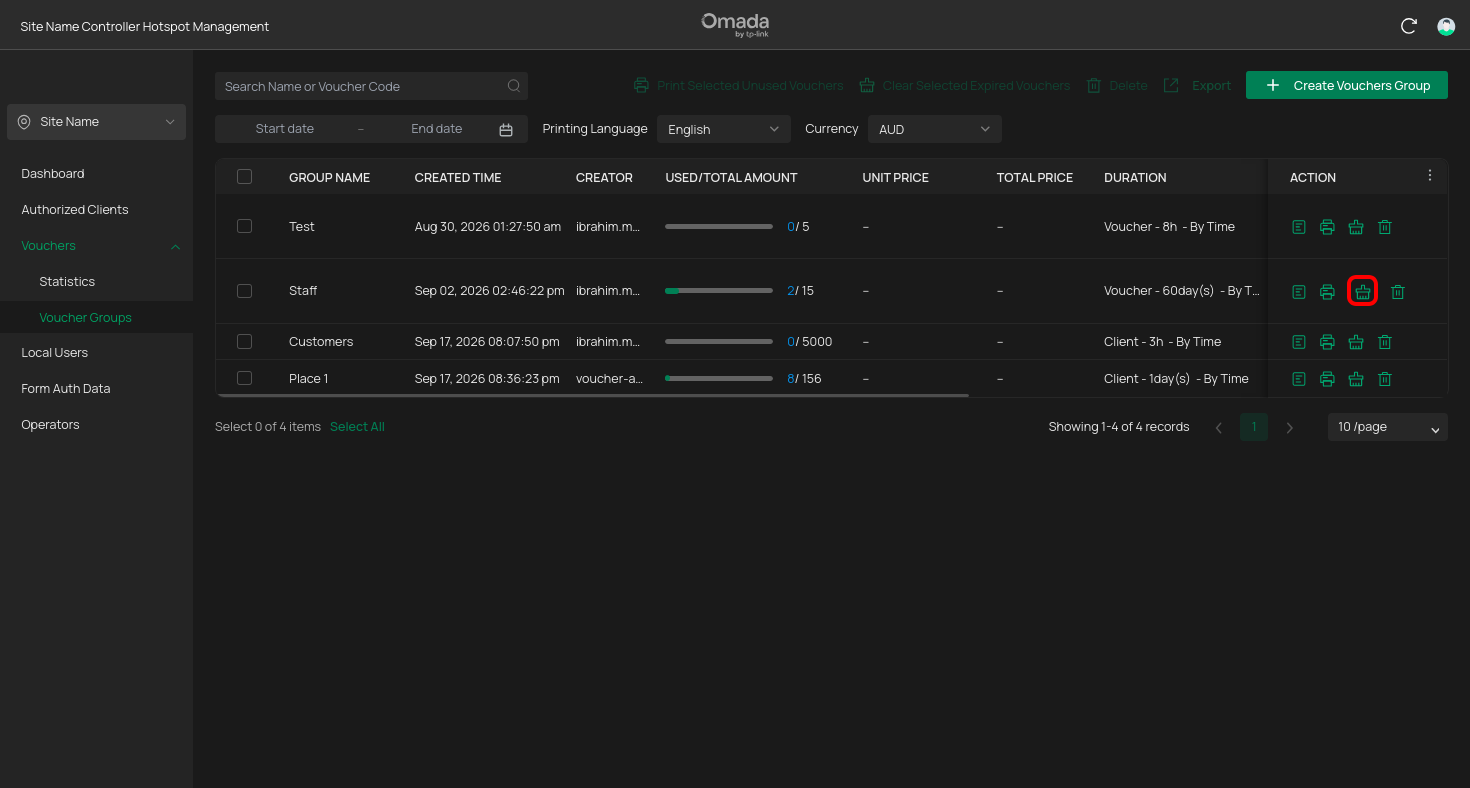
Check the voucher status before deleting anything.
Remove Empty Voucher Groups
You can distinguish the empty voucher groups, if after cleaning expired vouchers, the USED/TOTAL AMOUNT column will be changed from a progress bar to a dash.
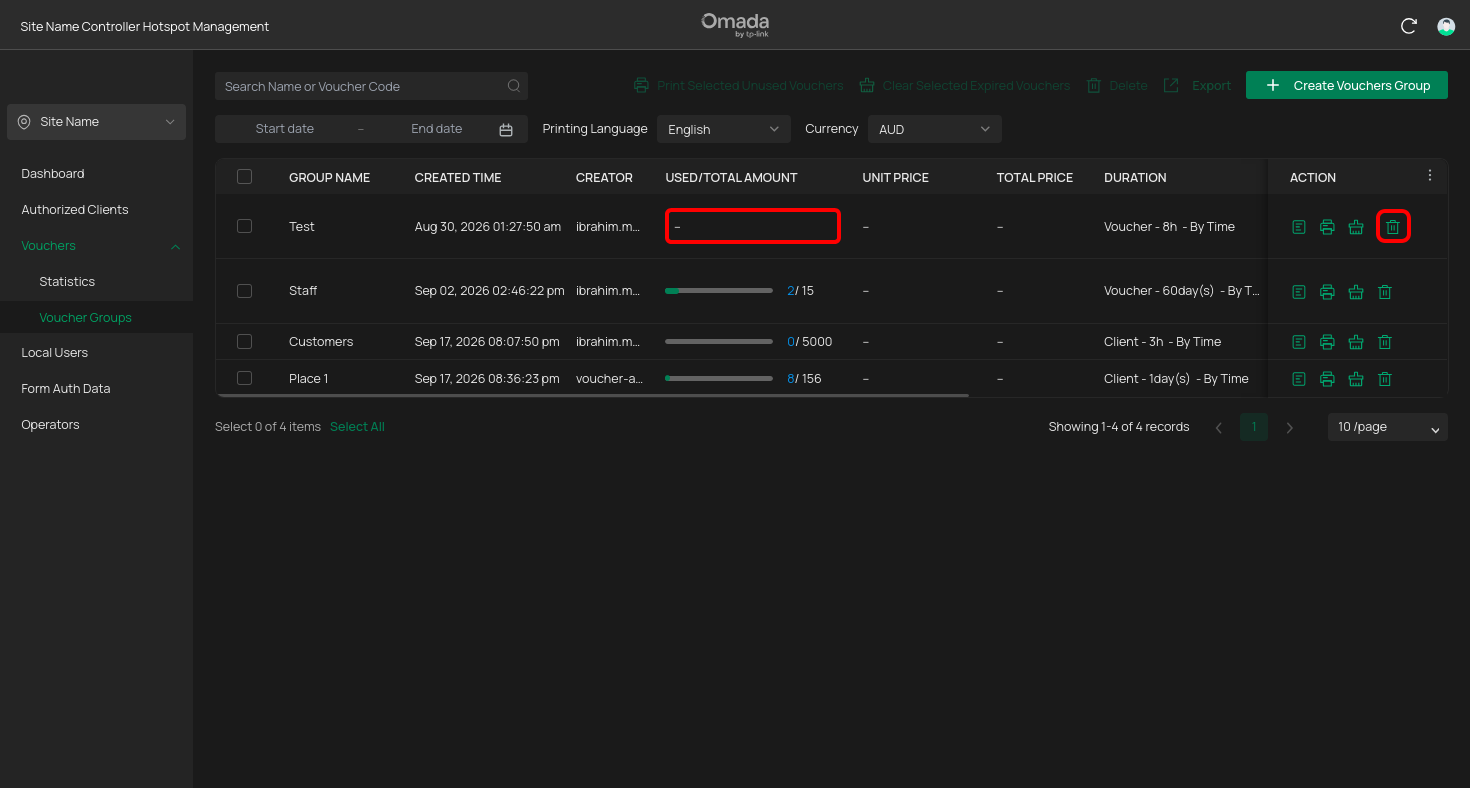
You can remove the group by clicking on the Delete (trash icon) button.