Voucher Creation
Voucher Groups are used to generate a batch of hotspot vouchers with the same settings.
For example, you might create a group of vouchers for a specific access duration or customer package.
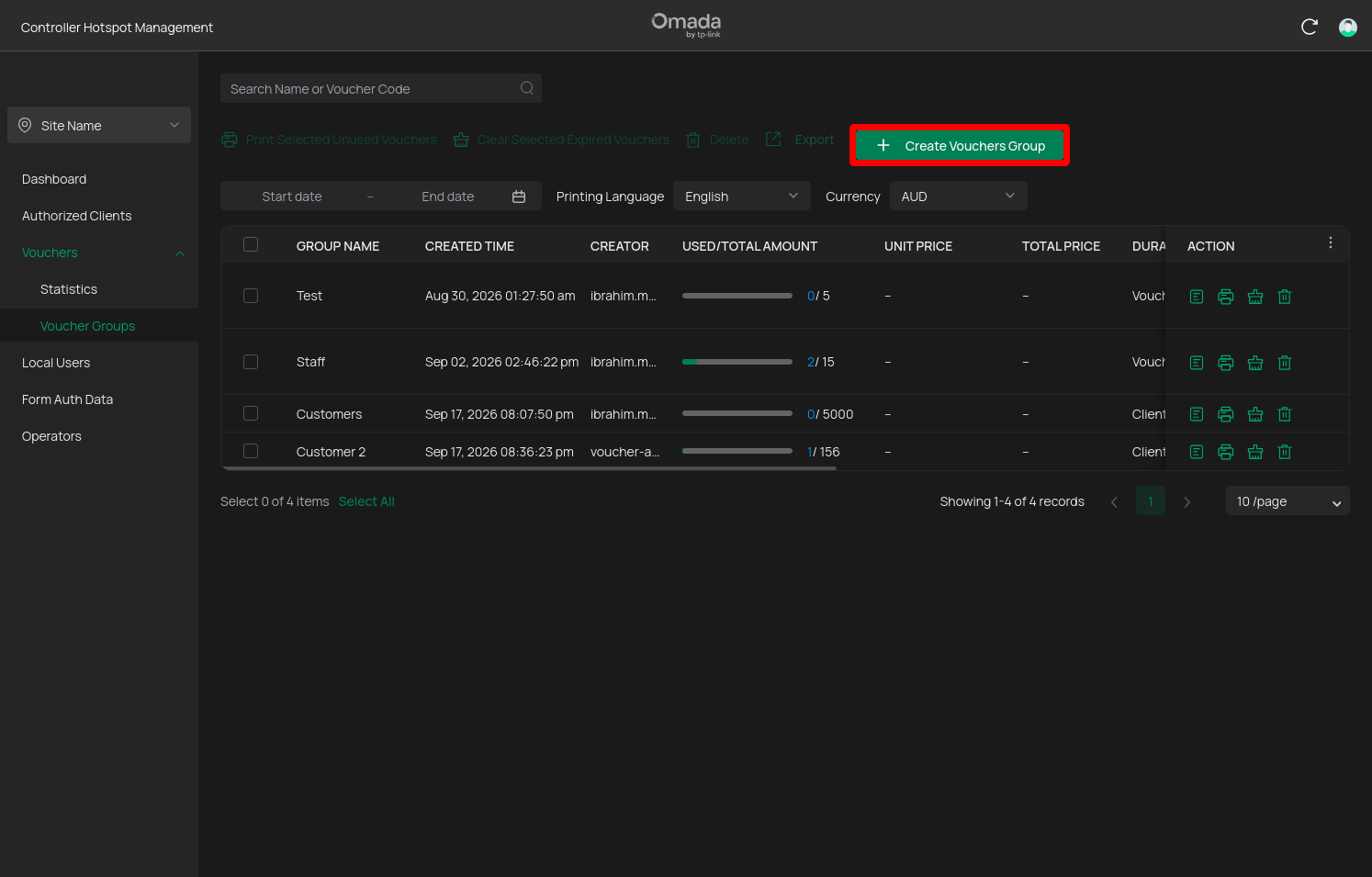
Start creating a voucher group
From Voucher Management > Voucher Groups section, select the option to create a new voucher group.
Configure the voucher settings
You’ll be presented with the voucher group configuration screen.
The available options may be different depending on the software version of the controller
Common settings include:
| Setting | What it controls | Selectable Values |
|---|---|---|
| Group Name | Identifies the voucher group | - |
| Code Length | Length of the generated voucher codes | - |
| Amount | The amount of vouchers to generate | - |
| Validity | How long the voucher will be available to use | Permanent: No voucher expiration. Fixed Dates: Available to use till expiration date ends. Scheduled: No expiration but only available to use within a set time daily or set of days weekly. |
| Duration Type | Controls how long a user can be | Voucher Duration: The duration the client can use the voucher after authentication. Youcher won’t expire till it’s validity expiration is up. Client Duration: The duration the client can be connected for. Voucher will expire after authentication. |
| Rate Limit | Speed restrictions applied to the voucher | - |
| Traffic | Amount of data the voucher can use | - |
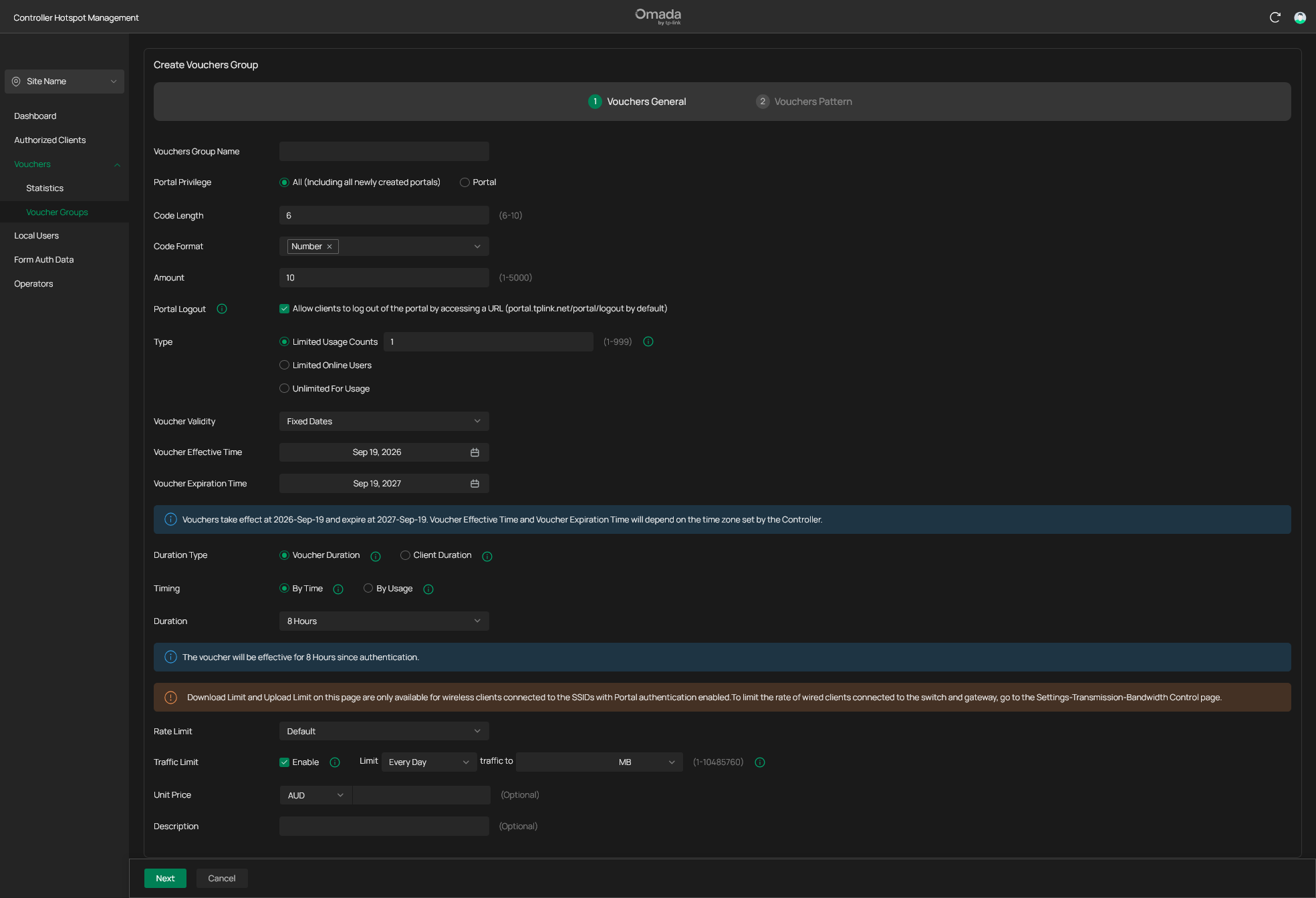
Use the value specificed for your deployment. If you’re unsure about a particulatr setting don’t change it without checking with the person responsible of the tehnical infrastructure.
If you would like to learn what each of the settings does and what values is recommended, you can read what I wrote down here: Voucher Settings Reference
Configure the voucher design
The voucher design controls what customers see when the vouchers are printed.
Depending on your configuration, this can inlcude:
- Logo or branding
- Voucher title
- SSID Name
- Voucher code
- Usage validity time
- Voucher usage limit count
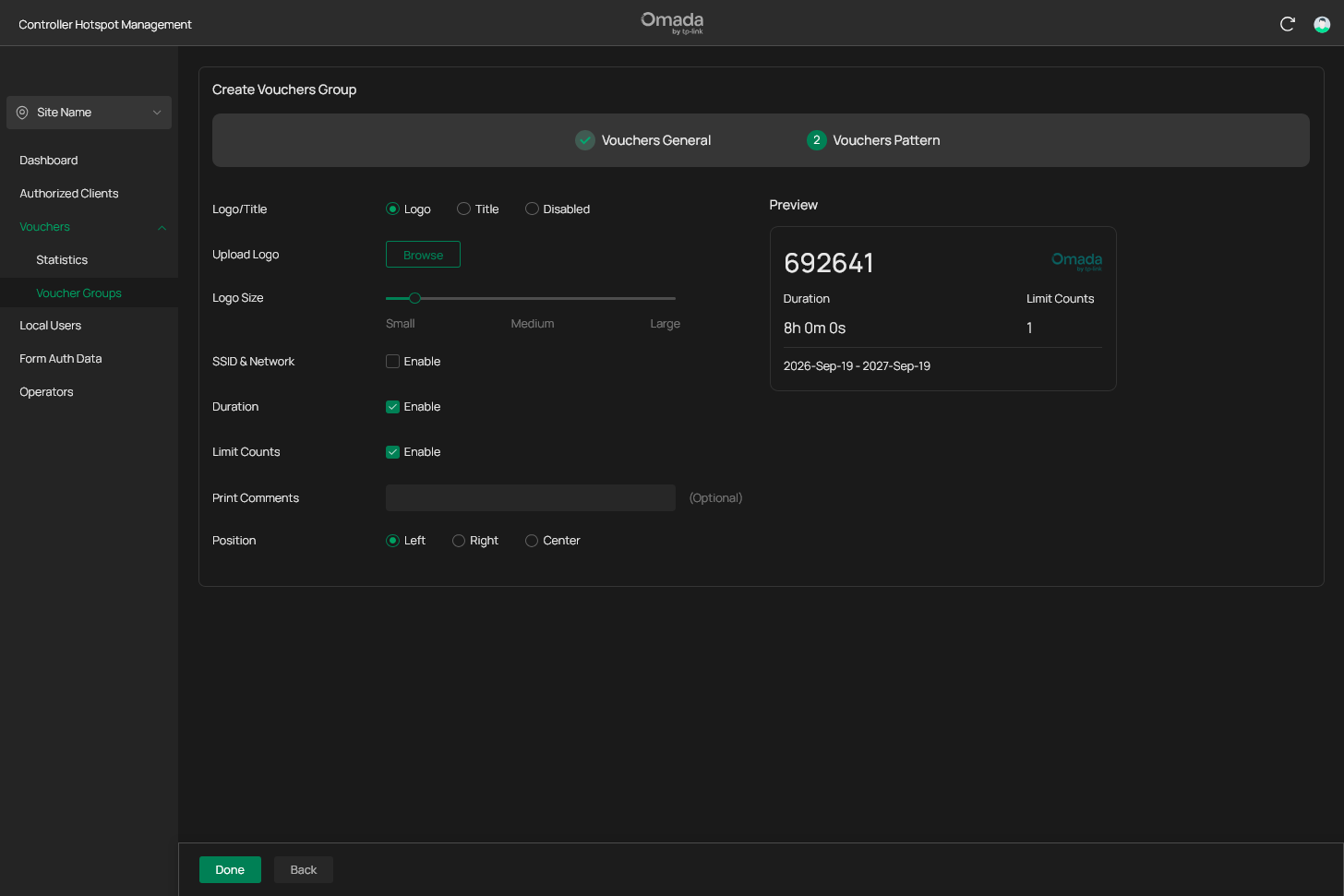
Take a moment to check the preview before saving.
Save the voucher group
Once everything looks correct, create the voucher group by pressing done.
The controller will generate the requested amount of vouchers.
Youre new vouchers are now ready to be printed, distrbuted and used.