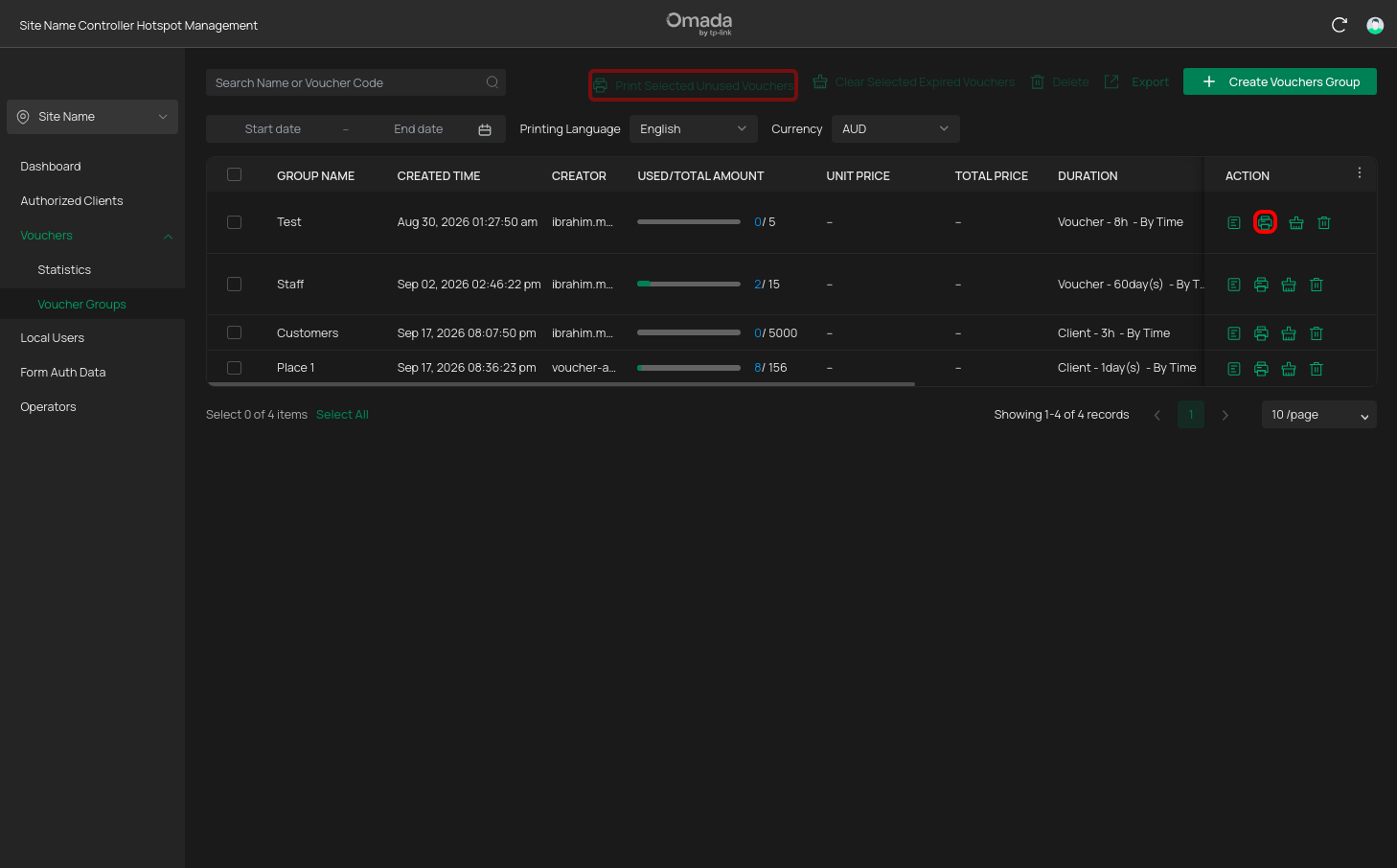
Printing Vouchers
Printing Individual Vouchers
Once you have created a voucher group you can print the vouchers for distribution.
Open the voucher group
Go to Voucher Management and locate the voucher group you want to print the vouchers from.
Open the group by clicking on the details button.
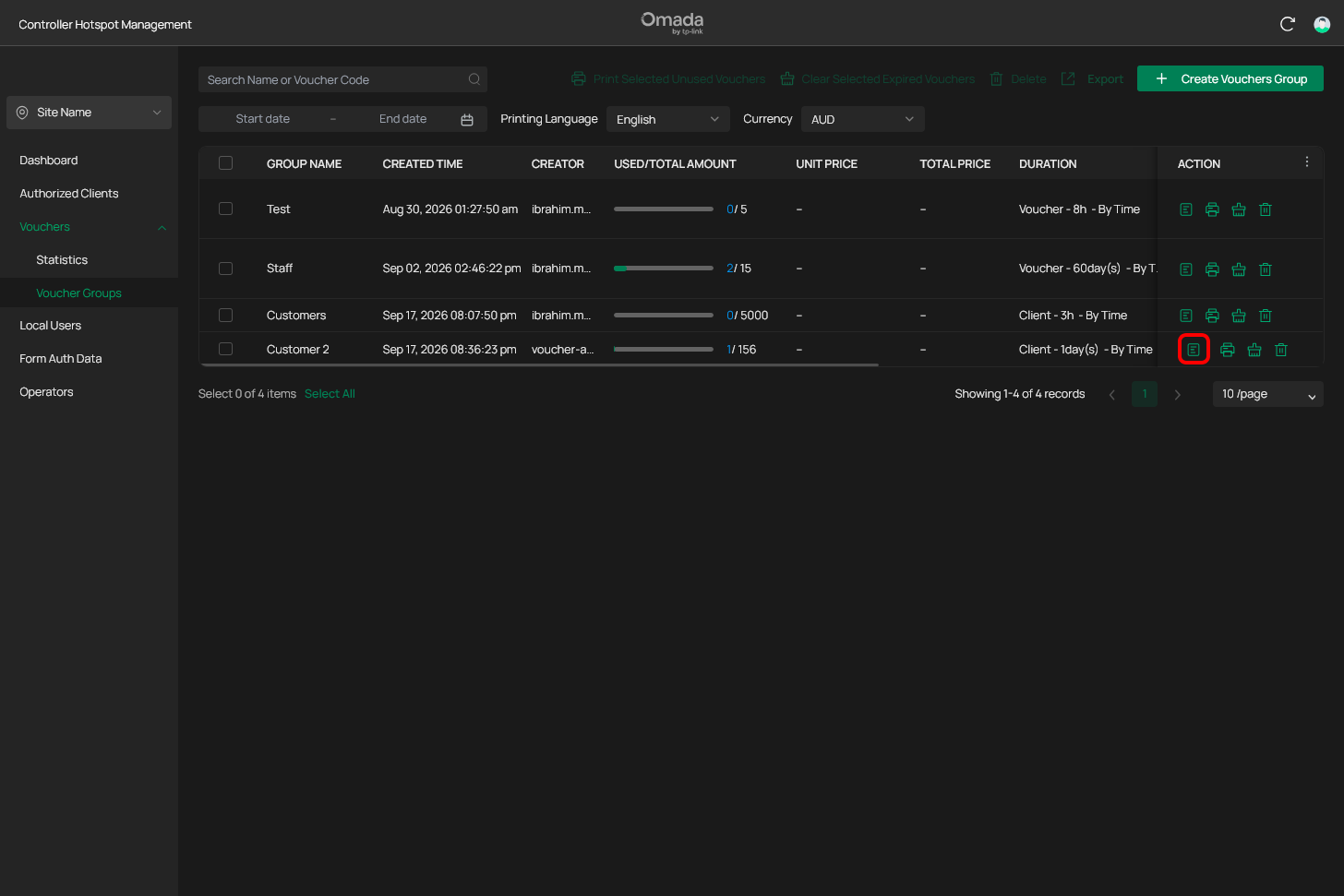
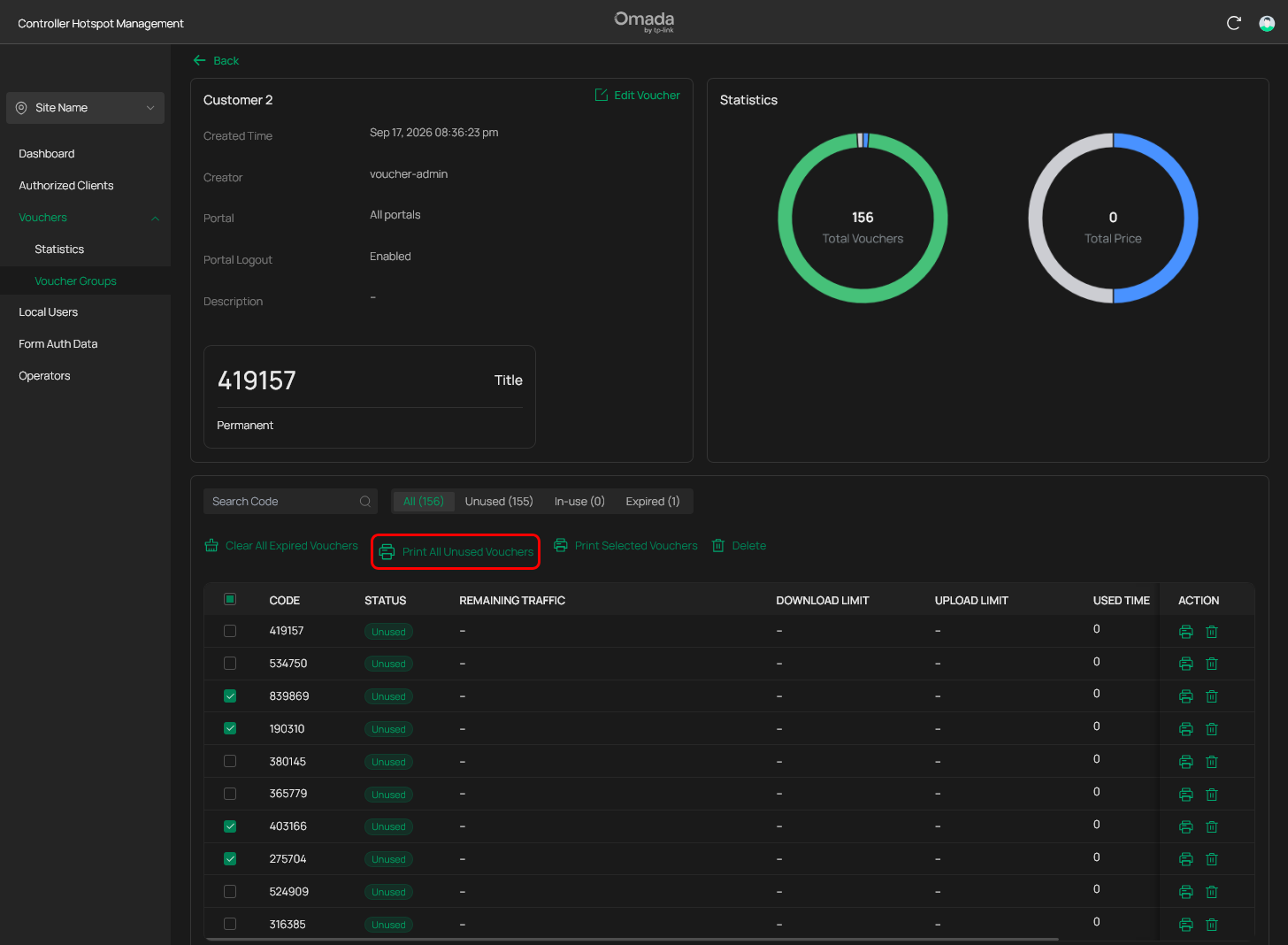
You can print single vouchers or select multiple vouchers and print or print all unused vouchers from inside the group dewtails page.
Single Vouchers
Find a voucher you want to print and select on the print button
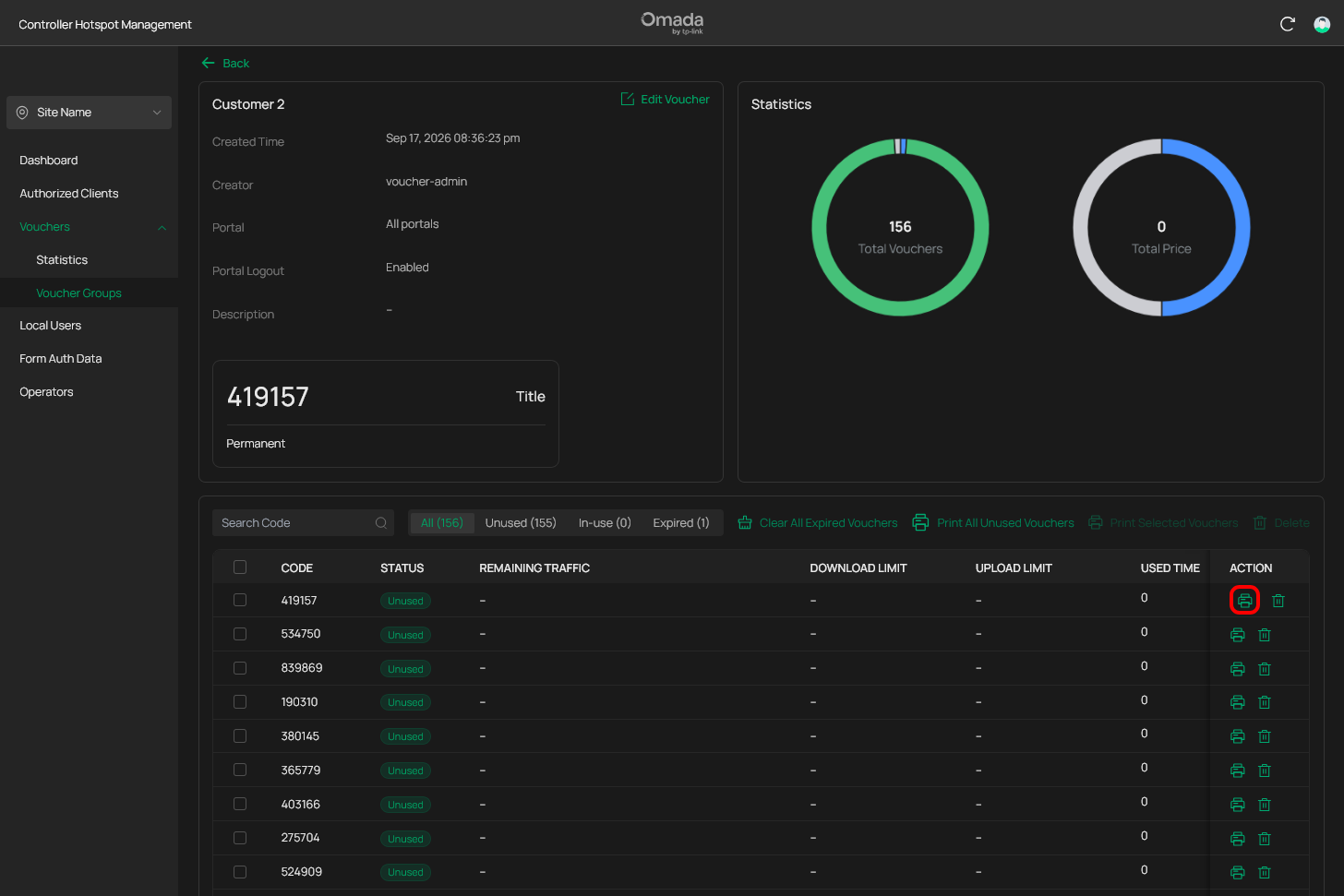
Start the printing process after reviewing the settings for the print.
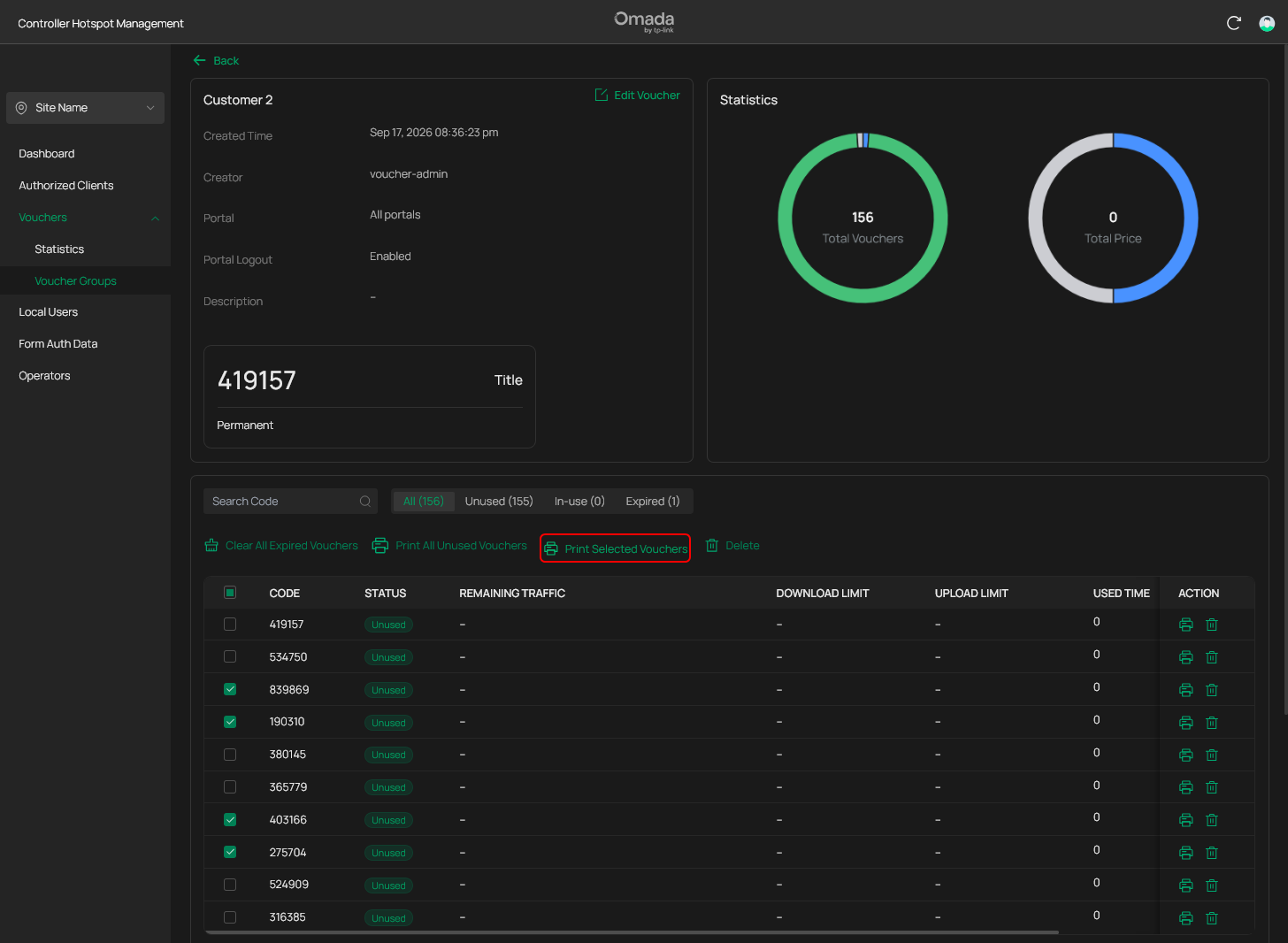
Multiple Vouchers
Select the vouchers you want to print from the selection column inside the table. Select the Print Selected Vouchers action button afterwards.
Unused Vouchers
Click on the Print All Unused Vouchers and you will be able to print all of the unused vouchers.
Make Sure:
- The voucher codes are readable.
- The entire voucher is visible.
- No important imformation is cut off.
- The number of vouchers is correct.
Printing Voucher Groups.
Voucher Groups can be printed the same way as individual vouchers, multiple groups or single ones in the voucher groups page.
Keep unused vouchers somewhere secure. Anyone with a valid voucher code may be able to use the network connection.