Monitoring Vouchers
Monitoring Vouchers
It is a good idea to check your vouchers regularly so you know how many are still available.
Checking available vouchers
Go to Voucher Management > Voucher Group and locate the voucher group you are intereseted in.
You should be able to see a column named USED/Total AMOUNT which tells how many vouchers is available and how many have been sued so far.
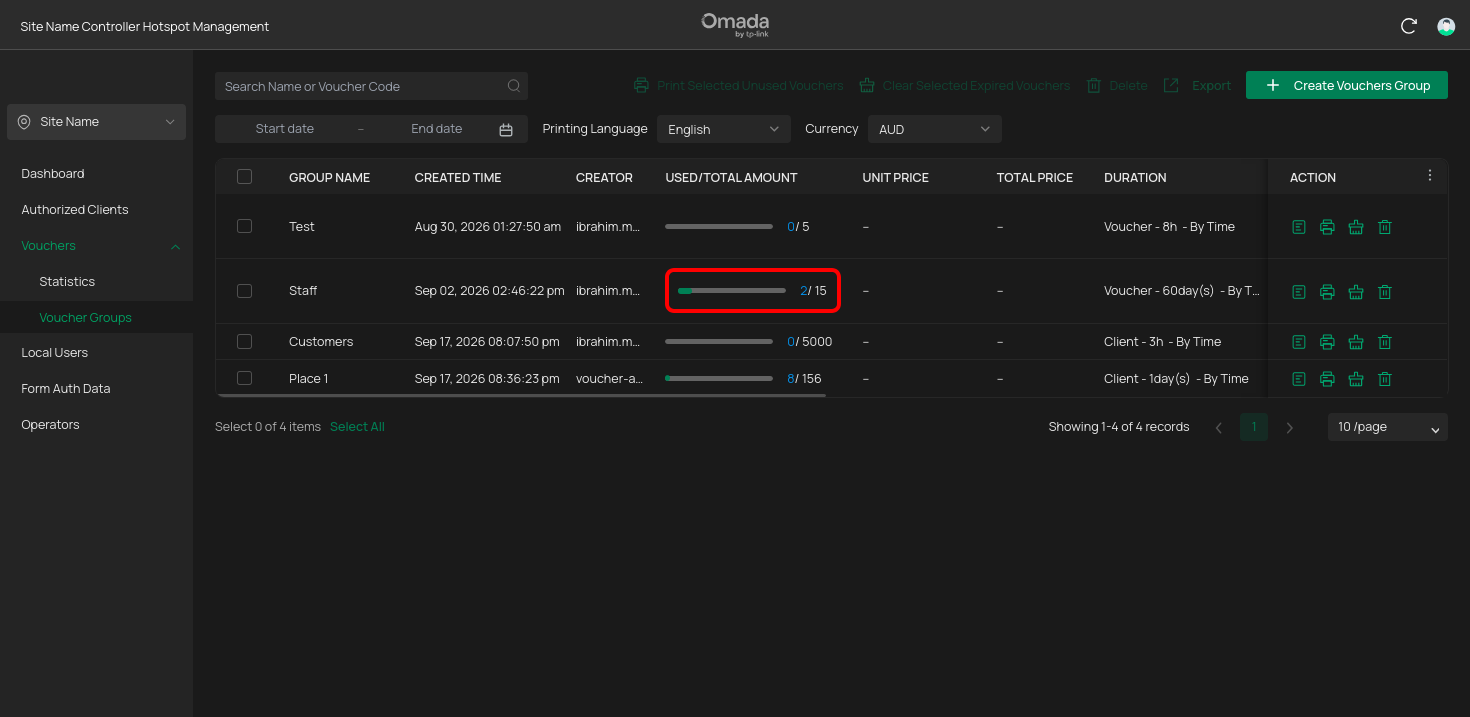
This lets you quickly check whether you need to generate another batch.
You can even go into the details of the corresponding voucher gorup and see a more detailed statistics dashboard for that specific voucher group.
Before creating more vouchers
Before creating a new group, check your existing groups first.
You may already have unused vouchers available.
This helps avoid unnecessary voucher groups and makes it easier to keep track of what has been issued.